
One of my goals this year was to localize my soccer app into German, French and Spanish. With the nascent String Catalogs, and Xcode’s 26 on-device inference engine for creating comments about what each String represents, it felt like the time was right.
Ah, the time was right, but my code was not. I was using plain String types in a lot of places, and a String catalog won’t pick those up for translation:
enum AppTab: String, CaseIterable {
    case teams, drills, practices
}

// Later on, a simplified example...
ForEach(AppTab.allCases) { tab in
    Text(tab.rawValue)
}
This is easy to miss, because SwiftUI does a fantastic job and opting you into using localizable String types, even if you don’t realize it:
Text("Make localizing your app easy!")
Under the hood, that string is a LocalizedStringKey, which means a String Catalog will pick it up for translation:
init(
    _ key: LocalizedStringKey,
    tableName: String? = nil,
    bundle: Bundle? = nil,
    comment: StaticString? = nil
)
Going forward, I’ve started writing String variables, parameters, and anything else that’ll show in a UI (which, well, Strings tend to do…all the time) using LocalizedStringKey — there’s no code changes you need to make when you swap this with a String type, plus you get the String Catalog support:
// From this
struct AnotherView: View {
    let headerText: String // <-- Won't show in String Catalog

    var body: some View {
        Text(headerText)
    }
}


// To this
struct AnotherView: View {
    let headerText: LocalizedStringKey // <-- Will show in String Catalog

    var body: some View {
        Text(headerText)
    }
}
To follow up on the first example:
enum AppTab: String, CaseIterable {
    case teams = String(localized: "Teams"), drills = String(localized: "Drills"), practices = String(localized: "Practices")
}
The same goes if you have interpolated Strings, using String(localized:comment:) does the trick:
// From this
let result = model.didGeneratePlan ? "Practice plan ready!" : "Failed to generate plan."

// To this
let result = model.didGeneratePlan ? String(localized: "Practice plan ready!") : String(localized: "Failed to generate plan.")
let concatenatedThoughts = """
Notice how I didn't use the `comment:` parameter in that last example? I found that Xcode's automatic generation was so good, it was making better comments that I did.
"""
My Localization “Stack”
It took the better part of my side project time last week, but I was able to complete a full translation to three new languages in Elite Soccer Club. It’s rolling out in v1.2.0 once App Review gives it its blessing, along with lineup sharing, Elite Hoops’ popular practice planner but retooled for soccer, and quite a bit more.
Here’s what I used to get my “v1” of localizations done:
- I converted all
Stringtypes toLocalizedStringKey, and any inline Strings toString(localized:). - I created String Catalogs, and downloaded the on-device model to create comments.
- Following Daniel Saidi’s fantastic blog post, I used Cursor and Claude to translate over 3,000 items.
- Then, using ButterKit, I paid the easiest $30 of my life, plugged in my OpenAI key, and had it translate all of the screenshot text.
-
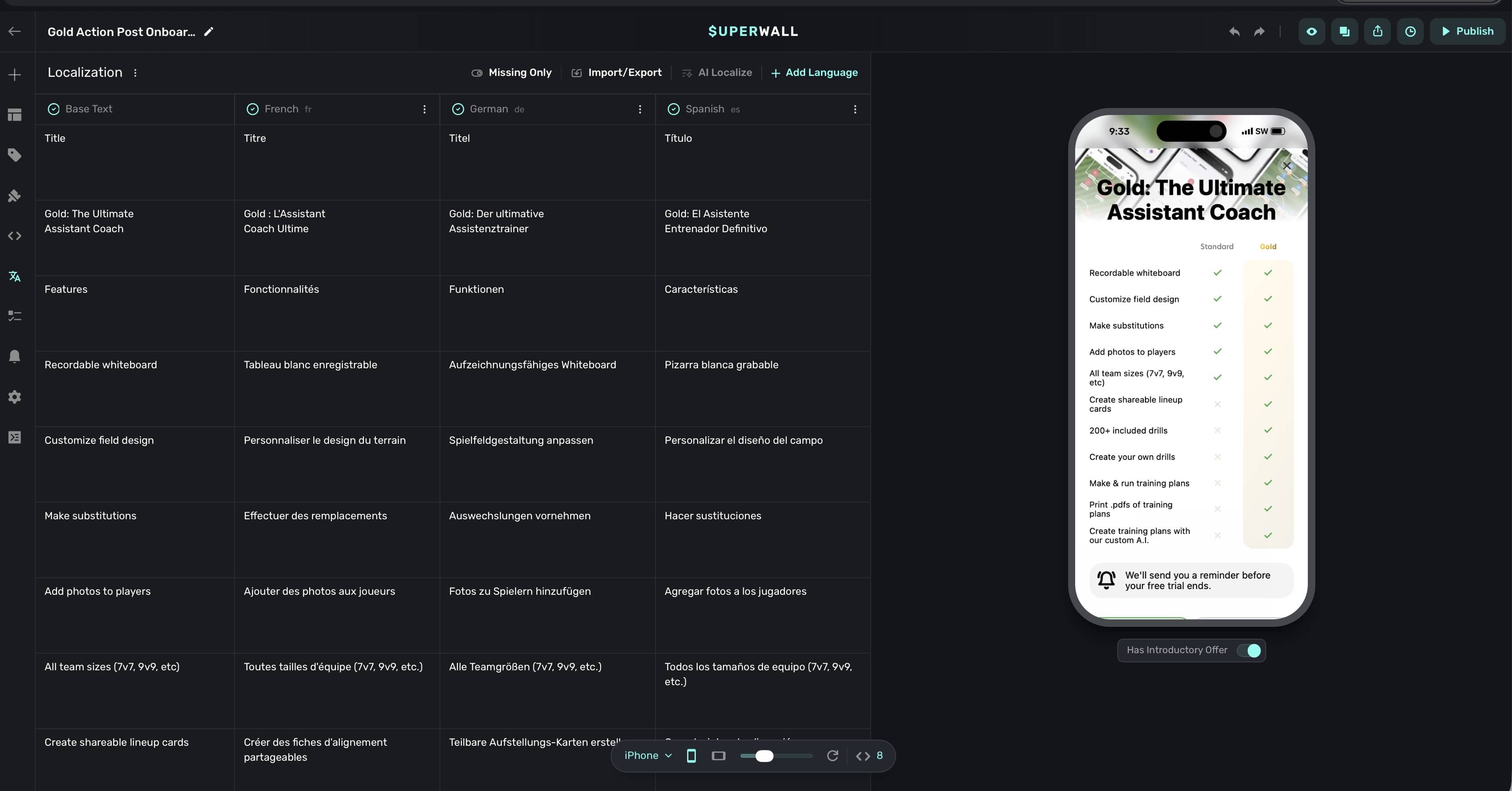
Superwall automatically translated all of my paywalls to three languages in under 30 seconds. This feature is absolutely insane.
![Translating paywalls in Superwall.]()
- And finally, I died inside while updating 6,000,000 things in App Store Connect — which would randomly lose images I uploaded constantly. This was not fun.
I feel like that gave me an incredible start, and a sign of the times that I could even do all of this within a week. While I am completely sure some of the translations won’t land, it’s better than not having anything. I plan on iterating when I get feedback to make things better, but also - Xcode’s comment generation surely helped AI translation since it had the extra context. I augmented the prompt in the blog linked above to make sure they were considered.
Until next time ✌️